
Обзор
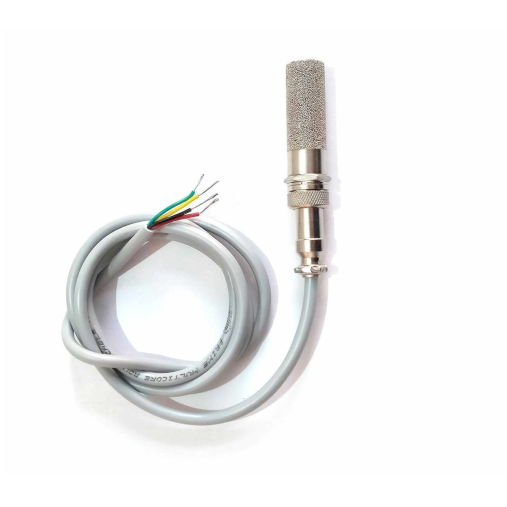
SHT25 — это высокоточный цифровой датчик температуры и влажности от Sensirion с интерфейсом I2C. Датчик обеспечивает превосходную точность и является одним из самых точных в линейке SHT2x.
SHT25 — это высокоточный датчик температуры и влажности от швейцарской компании Sensirion. Датчик обеспечивает максимальную точность в линейке SHT2x: ±0.2°C для температуры и ±1.8% RH для влажности. Идеален для требовательных приложений.
⚡ Ключевые особенности
- Максимальная точность — ±0.2°C, ±1.8% RH в линейке SHT2x
- I2C интерфейс — простая интеграция
- Премиальная модель — высокая стабильность
- Низкое энергопотребление
Технические характеристики SHT25
Распиновка SHT25
| Вывод | ESP32 |
|---|---|
| VDD | 3.3V |
| GND | GND |
| SDA | GPIO21 |
| SCL | GPIO22 |
Примеры кода
Arduino
#include <Wire.h>
#include <SHT2x.h>

void setup() {
  Serial.begin(115200);
}

void loop() {
  float temp = SHT2x.GetTemperature();
  float humidity = SHT2x.GetHumidity();

  Serial.print("Температура: ");
  Serial.println(temp);
  Serial.print("Влажность: ");
  Serial.println(humidity);

  delay(2000);
}
ESPHome
sensor:
  - platform: sht2x
    temperature:
      name: "SHT25 Temperature"
    humidity:
      name: "SHT25 Humidity"
    update_interval: 60s
Overview
The SHT25 sensor is a high-accuracy digital temperature and humidity sensor that utilizes Sensirion’s CMOSens® technology. It provides calibrated, linearized sensor signals in digital I2C format, making it ideal for applications requiring precise and reliable environmental measurements.
Quick Navigation
Code Examples
[

Arduino
C++ Framework
](#arduino)[

ESP-IDF
Native Framework
](#esp-idf)[

ESPHome
YAML Configuration
](#esphome)[

PlatformIO
IDE & Toolchain
](#platformio)[

MicroPython
Python Framework
](#micropython)
About SHT25 Temperature and Humidity Sensor
The SHT25, developed by Sensirion, is a high-accuracy digital sensor designed for precise temperature and humidity measurement. With superior stability and reliability, it is ideal for industrial monitoring, HVAC systems, and environmental data logging.
⚡ Key Features
- Superior Accuracy – Higher precision than standard SHT sensors.
- I²C Communication – Seamless integration with ESP32, Arduino, and other microcontrollers.
- Long-Term Stability – Reliable performance for demanding environments.
- Versatile Applications – Used in climate control, industrial automation, and data logging.
🔗 Looking for alternatives? Check out:
Where to Buy
Get Your SHT25
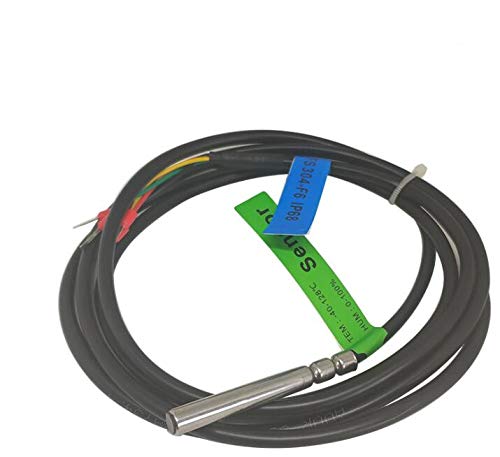
Starting from
$15 per unit



Prices are subject to change. We earn from qualifying purchases as an Amazon Associate.
Technical Specs
SHT25 Specifications
Complete technical specification details for SHT25 Temperature and Humidity Sensor
📊 Technical Parameters
Operating Voltage 2.1V to 3.6V
Temperature Range -40°C to 125°C
Humidity Range 0% to 100% RH
Temperature Accuracy ±0.2°C
Humidity Accuracy ±1.8% RH
Interface I2C
Dimensions 3mm x 3mm x 1.1mm
Pin Configuration
SHT25 Pinout
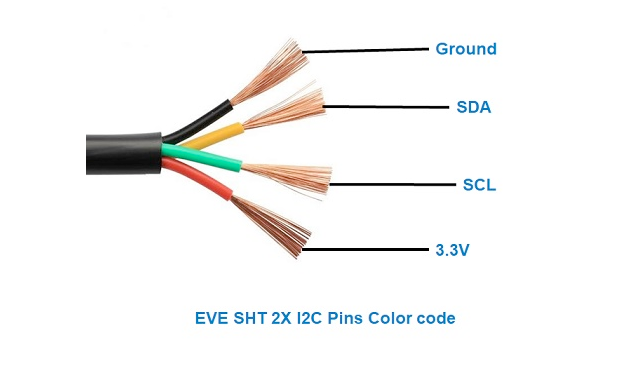
The SHT25 uses standard I²C communication with 4 pins, offering improved accuracy over SHT20.
Visual Pinout Diagram
Pinout Diagram Primary
4
Total Pins
Pin Types
Power
2
Communication
2
Quick Tips
🔌
Standard I²C interface for easy integration,📡 Default I²C address is 0x40
💡
Enhanced accuracy over SHT20: ±0.2°C temp, ±2% humidity,⚡ Pull-up resistors (10kΩ) recommended on SDA/SCL
🏆
Professional-grade sensor for precision applications
Pin Descriptions
Pin Name
Type
Description
Notes
1 VDD
Power
Power supply input (2.1V to 3.6V)
Low voltage operation for battery applications
2 GND
Power
Ground connection
Connect to ESP32 ground
3 SDA
Communication
I²C data line
Bidirectional data communication
4 SCL
Communication
I²C clock line
Clock signal from master device
Connection Guide
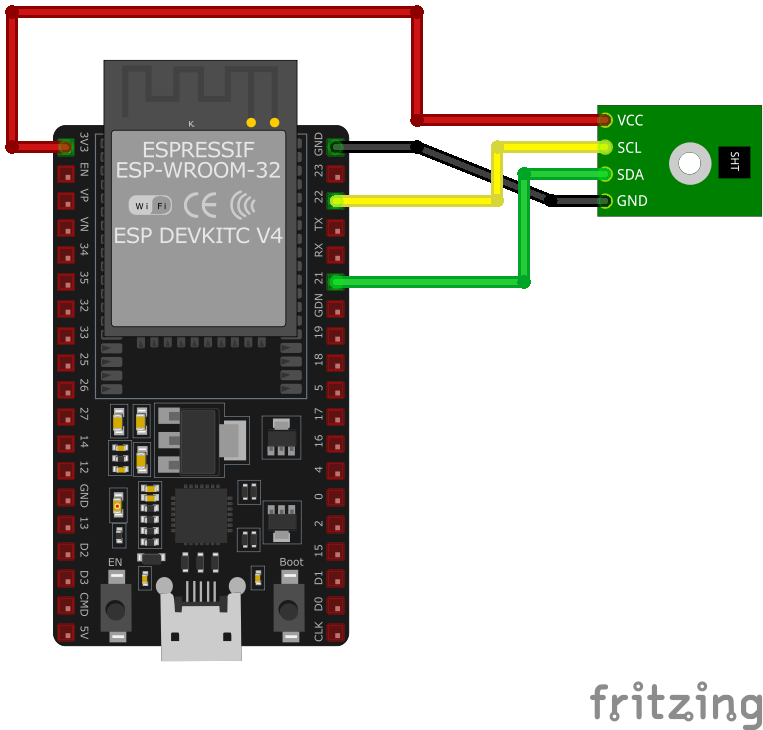
Wiring SHT25 to ESP32
Connect the SHT25 using standard I²C interface for high-precision measurements.
Visual Wiring Diagram
Wiring Diagram Recommended
4
Connections
Connection Status
Required
4
Protocol
I2C
Pin Connections
SHT25 Pin
Connection
ESP32 Pin
Description
1 VDD Required
3.3V
Power supply (2.1V to 3.6V)
2 GND Required
GND
Ground connection
3 SDA Required
GPIO21
I²C data line (default SDA)
4 SCL Required
GPIO22
I²C clock line (default SCL)
💡
GPIO21/22 are default I²C pins on ESP32
🔧
I²C address is 0x40 (standard)
⚡
Add 10kΩ pull-up resistors on SDA/SCL if needed
📡
Compatible with SHT20/SHT21 libraries
Help & Support
SHT25 Troubleshooting
Common issues and solutions to help you get your sensor working
Common Issues
❌ Incorrect I2C Address Detection
Issue: The SHT25 sensor is expected to have an I2C address of 0x40, but an I2C scanner detects it at 0x38. Attempting to communicate using the standard address results in no response or incorrect data.
Possible causes include counterfeit or mislabeled sensors that do not conform to standard specifications.
Solution: Use the detected I2C address (0x38) in your code instead of the expected 0x40. If communication issues persist, consider verifying the authenticity of the sensor or replacing it with a genuine SHT25 sensor.
🚫 Communication Failure with I2C Interface
Issue: Attempts to read data from the SHT25 sensor over I2C result in receiving 0xF0 or 0x00, indicating unsuccessful communication.
Possible causes include incorrect I2C implementation, timing issues, or improper sensor initialization.
Solution: Ensure that the I2C communication is correctly implemented with appropriate timing delays as specified in the SHT25 datasheet. Verify that the sensor is properly initialized and that the correct commands are being sent. Reviewing and following the sensor’s datasheet can provide guidance on proper communication protocols.
🌡️ Higher Than Expected Temperature Readings
Issue: The SHT25 sensor reports temperatures higher than the actual ambient temperature, leading to inaccurate measurements.
Possible causes include heat generated by nearby components affecting the sensor or inadequate ventilation around the sensor.
Solution: Ensure that the sensor is placed away from heat sources and has proper ventilation. Consider implementing software calibration to offset any consistent discrepancies. If the issue persists, consult the sensor’s datasheet for recommended operating conditions and verify that the sensor is being used within those parameters.
💻 Compilation Errors with SHT25 Library
Issue: When compiling code that interfaces with the SHT25 sensor using the LibHumidity library, errors such as 'class TwoWire' has no member named 'send' and 'class TwoWire' has no member named 'receive' are encountered.
Possible causes include the use of outdated functions in the library that are incompatible with the current Wire library, which now uses write() and read() methods instead of send() and receive().
Solution: Update the LibHumidity library by replacing instances of send() with write() and receive() with read(). Alternatively, consider using a more recent library that supports the SHT25 sensor and is compatible with the current Wire library implementation.
Debugging Tips
Serial Monitor
Use the Serial Monitor to check for error messages and verify the sensor’s output. Add debug prints in your code to track the sensor’s state.
Voltage Checks
Use a multimeter to verify voltage levels and check for continuity in your connections. Ensure the power supply is stable and within the sensor’s requirements.
Additional Resources
[
Datasheet
Technical specifications and guidelines
Code Examples
SHT25 Programming Examples
Ready-to-use code examples for different platforms and frameworks
Arduino Example
Compatible with Arduino IDE and ESP32 boards
C++
#include <Wire.h>#include "SHT2x.h"SHT2x sht;void setup() { Wire.begin(); Serial.begin(9600);}void loop() { float temperature = sht.GetTemperature(); float humidity = sht.GetHumidity(); Serial.print("Temperature: "); Serial.print(temperature); Serial.println(" °C"); Serial.print("Humidity: "); Serial.print(humidity); Serial.println(" %"); delay(2000);}This Arduino sketch demonstrates how to interface with the SHT25 sensor using the SHT2x library. It initializes the sensor and reads temperature and humidity data every 2 seconds, printing the results to the Serial Monitor. Ensure that the SHT2x library is installed in your Arduino IDE.
ESP-IDF Example
Official Espressif IoT Development Framework
C++
uint16_t raw_humidity = (data[0] << 8) | data[1]; uint8_t cmd_temp = 0xF3; // Command for temperature measurement i2c_master_write_to_device(I2C_MASTER_NUM, SHT25_SENSOR_ADDR, &cmd_temp, 1, pdMS_TO_TICKS(1000)); vTaskDelay(pdMS_TO_TICKS(50)); i2c_master_read_from_device(I2C_MASTER_NUM, SHT25_SENSOR_ADDR, data, 3, pdMS_TO_TICKS(1000)); uint16_t raw_temperature = (data[0] << 8) | data[1]; float humidity = -6.0 + 125.0 * ((float)raw_humidity / 65536.0); float temperature = -46.85 + 175.72 * ((float)raw_temperature / 65536.0); printf("Temperature: %.2f °C, Humidity: %.2f %%\n", temperature, humidity);}void app_main() { ESP_ERROR_CHECK(i2c_master_init()); while (1) { read_sht25_sensor(); vTaskDelay(pdMS_TO_TICKS(2000)); }}This ESP-IDF code demonstrates how to interface with the SHT25 sensor using the I2C protocol. It initializes the I2C master and communicates with the sensor to read temperature and humidity data. Raw sensor values are converted to human-readable units using the formulas provided in the SHT25 datasheet. Readings are printed to the console every 2 seconds.
ESPHome Example
Home Assistant ESPHome configuration
YAML
sensor: - platform: sht3x address: 0x40 temperature: name: "Indoor Temperature" humidity: name: "Indoor Humidity" update_interval: 60sThis ESPHome configuration defines the SHT25 sensor using the `sht3x` platform (compatible for earlier SHT2x series as well). The I2C address is set to 0x40. Two entities are created for temperature and humidity, labeled with user-friendly names like ‘Indoor Temperature’ and ‘Indoor Humidity.’ The `update_interval` is set to 60 seconds, meaning data is refreshed every minute.
PlatformIO Example
Professional development environment
C++
platformio.ini
[env:esp32dev]platform = espressif32board = esp32devframework = arduinolib_deps = "Sensirion/SHT2x"monitor_speed = 115200main.cpp
#include <Wire.h>#include "SHT2x.h"SHT2x sht;void setup() { Wire.begin(); Serial.begin(115200);}void loop() { float temperature = sht.GetTemperature(); float humidity = sht.GetHumidity(); Serial.print("Temperature: "); Serial.print(temperature); Serial.println(" °C"); Serial.print("Humidity: "); Serial.print(humidity); Serial.println(" %"); delay(2000);}This PlatformIO sketch demonstrates the usage of the SHT25 sensor with the ESP32 board. It uses the Sensirion SHT2x library to interface with the sensor. The code initializes the sensor, reads temperature and humidity data every 2 seconds, and prints the results to the Serial Monitor. Ensure the `Sensirion/SHT2x` library is included in the project dependencies.
🐍
MicroPython Example
Python for microcontrollers
Python
from machine import I2C, Pinfrom time import sleepimport sht21# Initialize I2Ci2c = I2C(0, scl=Pin(22), sda=Pin(21))# Initialize the SHT25 sensorsensor = sht21.SHT21(i2c)while True: try: temperature = sensor.read_temperature() humidity = sensor.read_humidity() print(f"Temperature: {temperature:.2f} °C") print(f"Humidity: {humidity:.2f} %") except Exception as e: print(f"Error reading sensor: {e}") sleep(2)This MicroPython code uses the `sht21` library to communicate with the SHT25 sensor over I2C. It reads temperature and humidity data in a loop, prints the readings to the console, and handles any errors that occur during communication. The data is updated every 2 seconds.
Summary
Wrapping Up SHT25
The ESP32 SHT25 Temperature and Humidity Sensor is a powerful environment sensor that offers excellent performance and reliability. With support for multiple development platforms including Arduino, ESP-IDF, ESPHome, PlatformIO, and MicroPython, it’s a versatile choice for your IoT projects.
Best Practices
For optimal performance, ensure proper wiring and follow the recommended configuration for your chosen development platform.
Safety First
Always verify power supply requirements and pin connections before powering up your project to avoid potential damage.
Ready to Start Building?
Now that you have all the information you need, it’s time to integrate the SHT25 into your ESP32 project and bring your ideas to life!
View Code Examples Download Datasheet
Similar Options
Explore Alternative Sensors
Looking for alternatives to the SHT25? Check out these similar sensors that might fit your project needs.
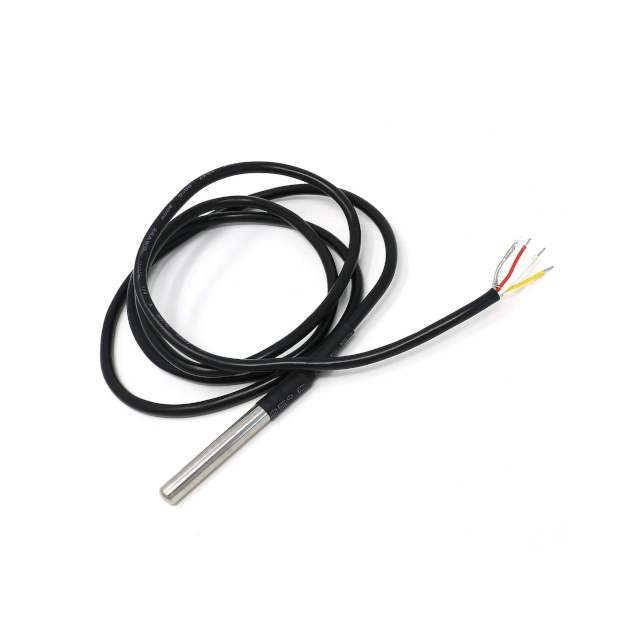
DS18B20 Dallas Temperature Sensor
ENVIRONMENT 1-Wire
The DS18B20 is a digital temperature sensor widely used in microcontroller-based applications. It communicates via the 1-Wire…
View Details
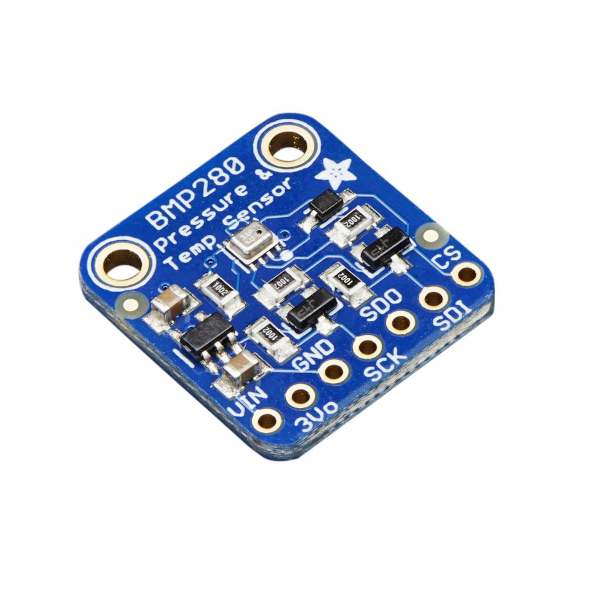
BMP280 Barometric Pressure and Temperature Sensor
ENVIRONMENT I2C,SPI
The BMP280 is a high-precision digital barometric pressure and temperature sensor, ideal for weather monitoring, altimetry, and navigation…
View Details
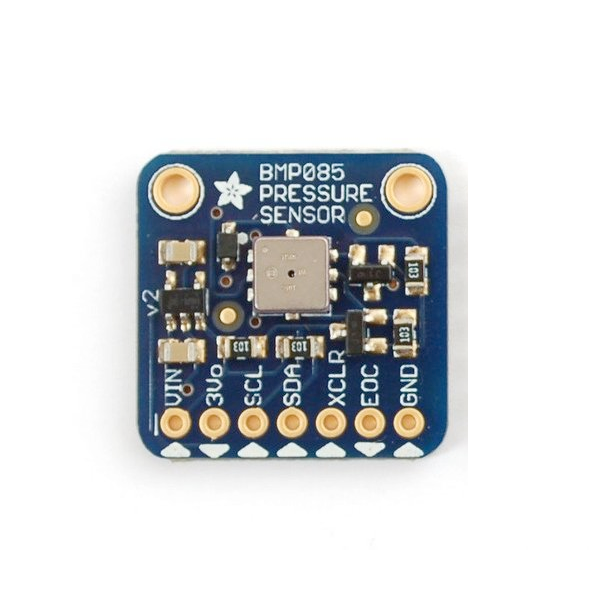
BMP085 Barometric Pressure Sensor
ENVIRONMENT I2C
The BMP085 is a high-precision digital barometric pressure and temperature sensor, ideal for weather monitoring, altimetry, and navigation…
View Details